
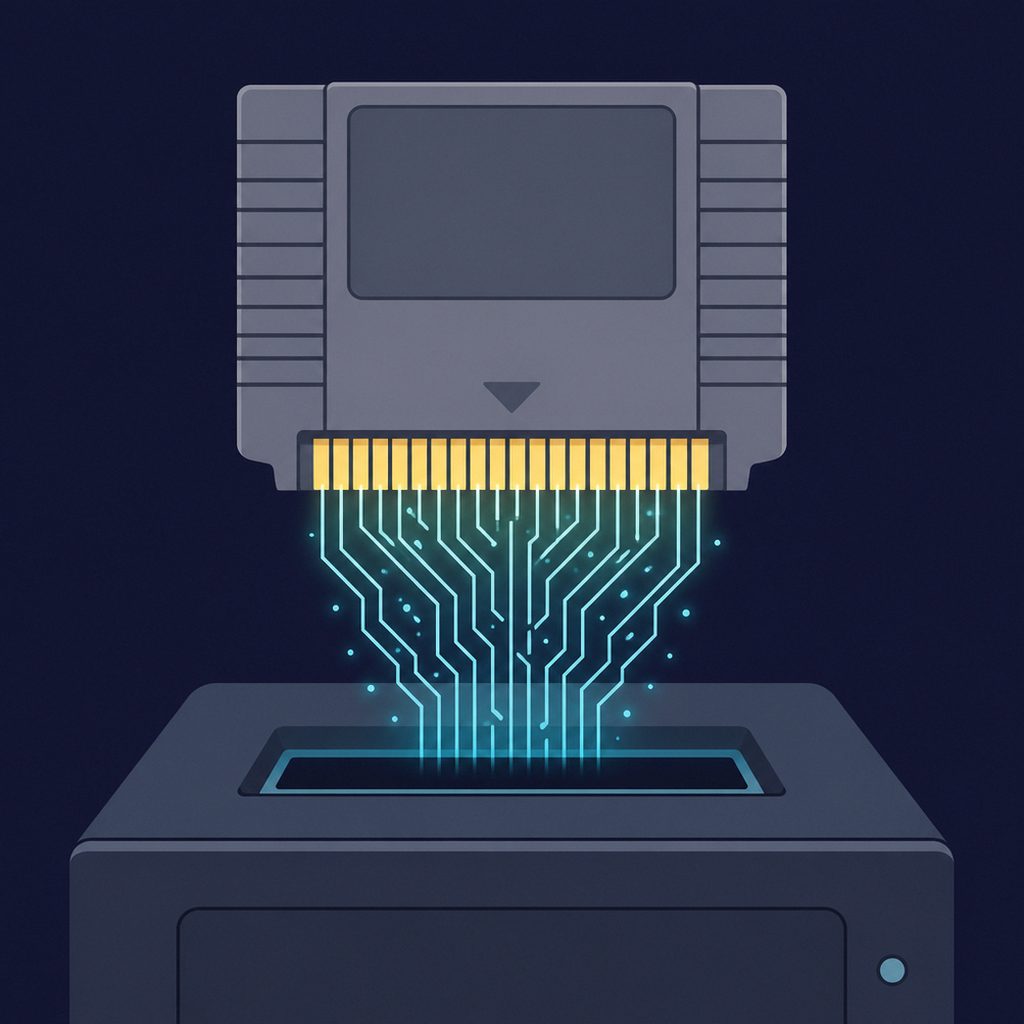
A game cartridge works by giving the console direct access to a memory chip that permanently stores the game. Rather than copying data into the system first, the console reads instructions straight from the cartridge’s ROM as though it were part of its own memory map. That simple arrangement, refined with extra chips for larger games and for saving progress, is what made the cartridge fast, durable, and central to console gaming for two decades. This is the technical companion to the broader overview of video game cartridges explained.
The ROM Chip: Where the Game Lives
At the heart of every cartridge is a ROM (read-only memory) chip. ROM is non-volatile, meaning it keeps its contents with no power at all, which is why a cartridge made in 1985 still holds its game today. The chip stores everything the game is made of: the program code the processor runs, the graphics tiles, the music and sound data, and the level layouts.
Most classic cartridges used mask ROM, in which the data is physically built into the silicon during manufacturing using a photographic mask. Mask ROM is cheap at volume and extremely stable, but it cannot be changed once made, so every production run requires a finished, final game. The console accesses this chip through gold-plated edge contacts that connect the cartridge’s circuit board to the system’s address and data buses.
How the Console Reads a Cartridge
When a cartridge is inserted, its contacts meet pins inside the console’s slot, wiring the ROM directly into the system’s memory map. The processor places an address on the bus to request a particular byte; the ROM responds by putting the data at that address back onto the bus. From the processor’s point of view, the cartridge is simply another region of memory it can read.
This is the key to the format’s speed. Because the code already sits in addressable memory, there is no transfer step and no buffering, so execution can begin the instant the system powers on. It is also why dirty or corroded edge contacts cause the familiar symptoms of a cartridge that will not boot or that glitches: a single intermittent connection breaks the bus the processor depends on.
Mappers and Bank Switching: Beating the Memory Limit
Early consoles could only address a small amount of memory at once. The original NES processor, for example, could reach far less ROM than ambitious games eventually needed. The solution was a dedicated chip on the cartridge called a mapper, and the technique it performs is bank switching.
The idea is to divide a large ROM into smaller chunks called banks, only one of which is visible to the processor at a time. The mapper sits on the same buses as the ROM and watches for special writes from the game. When the game asks to switch banks, the mapper swaps which chunk of the ROM is mapped into the visible address window. Cleverly, the designers exploited the fact that you cannot normally write to read-only memory: a write to the ROM region does nothing useful on its own, so the mapper intercepts those writes and treats them as commands.
Nintendo’s family of Memory Management Controller (MMC) chips became the best-known examples. The MMC1 was the most common and could address far more program and graphics data than the bare console allowed. The MMC3 went further, adding a scanline counter that could generate an interrupt partway down the screen, letting games create split-screen effects, such as a scrolling playfield with a fixed status bar, with almost no processor overhead. Mappers turned the cartridge from passive storage into an active extension of the console’s hardware.
Enhancement Chips: Cartridges That Boosted the Console
Because a cartridge is a full circuit board, it can carry more than memory. The fourth-generation Super Nintendo took this furthest by shipping co-processors inside certain cartridges. The Super FX chip rendered the 3D polygon graphics in Star Fox, work the SNES could not do on its own. The SA-1, used in games such as Super Mario RPG, was a faster companion processor that sped up calculations and handled compression. In effect, each enhanced cartridge upgraded the console the moment it was inserted, an approach that disc-based systems, with their fixed sealed hardware, simply could not match.
How Cartridges Save Your Game
Storing progress is harder than reading a game, because the ROM is read-only. Cartridges solved it in two main ways.
Battery-Backed SRAM
The common method was a chip of SRAM (static RAM), which the game can write to freely. SRAM is fast but volatile: it loses its contents the instant power is removed. To keep saves alive while the cartridge is unplugged, the board includes a small lithium coin-cell battery, typically a CR2032, that trickles just enough current to the SRAM to preserve the data. This is the technology behind the save files in titles like The Legend of Zelda. Its weakness is the battery itself, which eventually runs flat, taking the saves with it. Why those batteries die and how to swap them is the subject of old game save batteries and how to replace them.
EEPROM and Flash
Later cartridges used EEPROM or flash memory, which are non-volatile and hold saves with no battery at all. Many Nintendo 64 cartridges used small EEPROM chips for this reason, while some used battery-backed SRAM and others used flash. Games on these batteryless cartridges keep their saves indefinitely, which is one reason a portion of the classic library has aged better than the rest.
Modern Cartridges: Flash Memory Cards
Today’s cartridges work on the same direct-read principle but with entirely different chips. The Nintendo Switch game card uses high-density flash memory rather than mask ROM, which is what lets such a tiny card hold up to 32 GB. Functionally it is still a non-volatile chip the console reads directly, preserving the instant-access and durability benefits, but with a capacity the engineers of the cartridge era could only dream about. The trajectory from a few kilobytes of mask ROM to tens of gigabytes of flash is traced across the wider history of game media.
Frequently Asked Questions
How does a game cartridge actually work?
A cartridge contains a ROM chip that permanently stores the game. When inserted, its gold contacts connect the chip directly to the console's address and data buses, so the processor reads the game's code straight from the cartridge as if it were part of its own memory. There is no loading step, which is why cartridge games start instantly.
What is a mapper chip and what does it do?
A mapper is an extra chip on the cartridge that lets a game use more memory than the console can normally address. It divides a large ROM into banks and switches which bank is visible to the processor on command, a technique called bank switching. Nintendo's MMC1 and MMC3 chips are the best-known examples; the MMC3 also helped generate split-screen effects.
What is the difference between ROM and SRAM in a cartridge?
ROM (read-only memory) permanently stores the game and keeps its contents with no power, but it cannot be written to. SRAM (static RAM) is writable memory used for saving progress, but it is volatile and loses everything when power is removed, which is why save-equipped cartridges include a battery to keep the SRAM alive.
How do cartridges save your progress?
Two main ways. Older carts use battery-backed SRAM, where a small lithium coin cell keeps the volatile save memory powered while the cartridge is unplugged. Newer cartridges use non-volatile EEPROM or flash memory that retains saves with no battery at all, which is why many Nintendo 64 games never had a battery to fail.
Why do some cartridges contain extra chips?
Because a cartridge is a full circuit board, it can carry co-processors that boost the host console. The SNES used enhancement chips like the Super FX, which rendered the 3D graphics in Star Fox, and the SA-1, a faster companion processor. Each enhanced cartridge effectively upgraded the console the moment it was plugged in.
Why does a dirty cartridge fail to load?
The console reads the game through gold-plated edge contacts that bridge the cartridge's chips to its buses. If those contacts are dirty or corroded, the connection becomes intermittent and the processor cannot reliably read the ROM, causing failed boots, freezes, or graphical glitches. Cleaning the contacts with isopropyl alcohol usually restores the connection.