
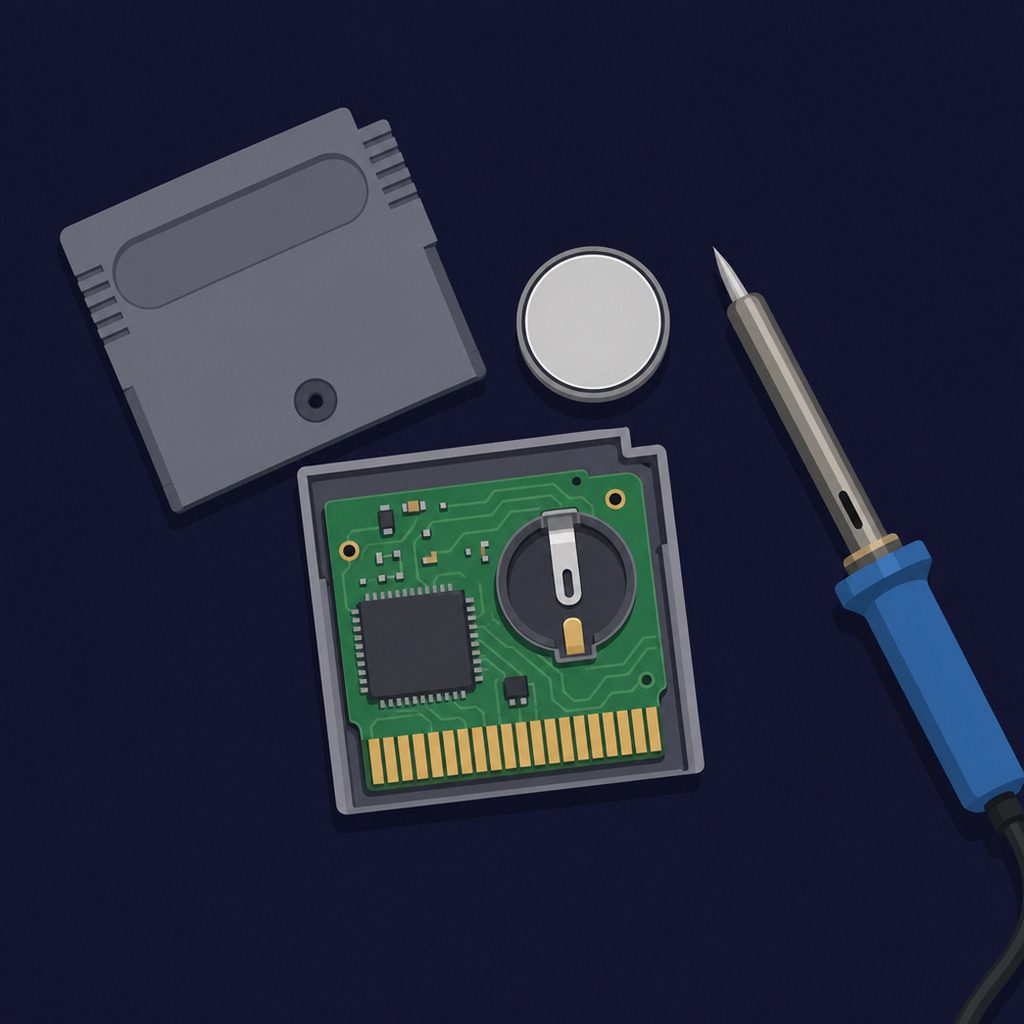
Many classic cartridges save progress in volatile SRAM that forgets its contents the moment it loses power, so they include a small lithium coin-cell battery (usually a CR2032) to keep the memory alive while unplugged. Those batteries typically last two to three decades; when one dies, the save vanishes the next time the cartridge loses power. The fix is to solder in a fresh CR2032, ideally one with tabs, which is straightforward but does not recover a save that is already gone.
Anyone who returns to a childhood cartridge eventually meets the same disappointment: the save file is gone, or it disappears the moment the cartridge is unplugged again. This is not the game failing. It is a tiny battery, soldered to the circuit board decades ago, finally running flat. Understanding why these batteries exist and how to replace them is one of the most practical pieces of cartridge knowledge a collector can have. For the underlying technology, see how game cartridges work.
Why Cartridges Need a Battery at All
A game’s code lives in ROM, which is read-only and keeps its contents forever with no power. Saving progress is a different problem, because the game has to write the save somewhere it can change. The common solution on classic carts was a chip of SRAM (static RAM), which the game can write to freely and quickly.
The catch is that SRAM is volatile: it holds data only while it receives power, and forgets everything the instant power is cut. While the cartridge is plugged into a running console, the system supplies that power. The moment it is removed, the SRAM would lose the save, so the cartridge carries a small lithium coin-cell battery that trickles just enough current to the SRAM to preserve the data on the shelf. This is the mechanism behind the save files in games like The Legend of Zelda and countless SNES and Nintendo 64 titles.
Why the Batteries Die
The cell is almost always a CR2032, the same 3-volt lithium coin battery found in PC motherboards and car keys. It is sipped from slowly, so it lasts far longer than a battery in active use, but it is not eternal. In practice these cells last on the order of two to three decades, varying with the quality of the battery and storage conditions. Heat shortens their life, while cool, dry storage extends it.
That timeline matters now because the libraries that used battery-backed saves are reaching exactly that age. SNES games from the early 1990s and Nintendo 64 games from the late 1990s are in or past the window where original cells start to fail, which is why dead saves have become a routine part of retro collecting today.
How to Tell the Battery Is Failing
The symptoms are distinctive once you know them.
- Saves vanish when the cartridge is unplugged. The classic sign: progress holds while the console runs, but the file is gone the next time you insert the cartridge.
- In-game clocks drift. On games with a real-time clock, such as certain Game Boy and N64 titles, the clock losing sync is often an early warning before saves fail entirely.
- “No save data” on a game you know you saved. If a cartridge that previously saved fine suddenly reports an empty slot, a flat battery is the likely cause.
Not Every Cartridge Has a Battery
An important point that saves needless worry: many cartridges never had a battery to fail. Later carts used EEPROM or flash memory for saving, both of which are non-volatile and retain data with no power source. Many Nintendo 64 games saved to small EEPROM chips and so will never lose their data to a dead cell, while others on that system used battery-backed SRAM and are vulnerable. Modern cartridges, such as those for the Nintendo Switch, store saves on the console rather than the card. If a cartridge has no battery, there is nothing in this regard to maintain.
How to Replace a Save Battery
Replacing the cell is a manageable job for anyone comfortable with a soldering iron, but a few details separate a clean repair from a ruined cartridge.
What You Need
- A CR2032 battery with solder tabs. The bare coin cell sold in shops has no tabs; a tabbed version is designed to be soldered to a board. Soldering directly to a plain cell risks overheating and damaging it.
- The correct security bit to open the cartridge. Most Nintendo carts use a 3.8 mm gamebit; some use a 4.5 mm gamebit.
- A soldering iron, solder, and basic care around the board.
The Catch: Replacing the Battery Loses the Save
This is the single most important thing to understand. Because the save sits in volatile SRAM, the moment the old battery is disconnected the SRAM loses power and the existing save is erased. A straightforward swap therefore gives you a working save system going forward but wipes whatever was on the cartridge.
To preserve an existing save, the SRAM must be kept powered throughout the swap, for example by holding the new battery’s voltage to the circuit while the old one is removed, a fiddlier operation. Many collectors who only care about future saves simply accept the loss; those preserving an irreplaceable old save back it up first or keep the memory powered during the replacement. Note also that a battery of the wrong type or a poor connection can make a game appear to save while not actually retaining the data, so it is worth confirming the save holds after the repair.
Looking After Save-Equipped Cartridges
A little prevention extends the life of both the battery and the cartridge. Store carts in a cool, dry place, since heat accelerates battery drain and humidity corrodes contacts. Keep the gold edge contacts clean with isopropyl alcohol on a cotton swab, never a pencil eraser, which leaves abrasive grit. For prized titles, replacing an aging cell before it dies, while backing up the save, avoids losing data to a battery that fails unannounced. Because the ROM itself is non-volatile, a cartridge whose battery is maintained can keep both its game and its saves playable far longer than the console it was made for. The format’s wider story is covered in video game cartridges explained and the history of game media.
Frequently Asked Questions
Why do old game cartridges lose their saves?
Many classic cartridges save in volatile SRAM, which holds data only while powered. A small lithium coin-cell battery keeps that memory alive while the cartridge is unplugged. These batteries typically last two to three decades, and when one runs flat the SRAM loses power and the save disappears the next time the cartridge is removed from the console.
What battery do game cartridges use?
Almost always a CR2032, the standard 3-volt lithium coin cell also found in PC motherboards and car key fobs. For a repair you need a CR2032 with solder tabs, since the bare coin cell sold in shops is not meant to be soldered directly to a circuit board.
How long do cartridge save batteries last?
Roughly two to three decades, depending on battery quality and storage conditions. The cell is sipped from very slowly, so it lasts far longer than a battery in active use. Heat shortens its life, while cool, dry storage extends it, which is why early-1990s SNES and late-1990s N64 carts are now reaching the failure window.
Does replacing the battery erase my save?
Usually yes. Because the save sits in volatile SRAM, disconnecting the old battery cuts power to that memory and wipes the existing save. A simple swap restores saving going forward but loses what was on the cartridge. Preserving an old save requires keeping the SRAM powered throughout the replacement, which is more involved.
Do all cartridges have a save battery?
No. Many cartridges use non-volatile EEPROM or flash memory to save, which needs no battery and never loses data to a dead cell. Many Nintendo 64 games saved to EEPROM for this reason, while others used battery-backed SRAM. If a cartridge has no battery, there is no save battery to maintain.
Can I replace a cartridge save battery myself?
Yes, if you are comfortable with a soldering iron. You need a tabbed CR2032, the correct security bit to open the cartridge (often a 3.8 mm or 4.5 mm gamebit), and basic soldering care. Remember that a standard swap wipes the existing save, and that a wrong battery or a poor connection can make a game appear to save without actually retaining data.